
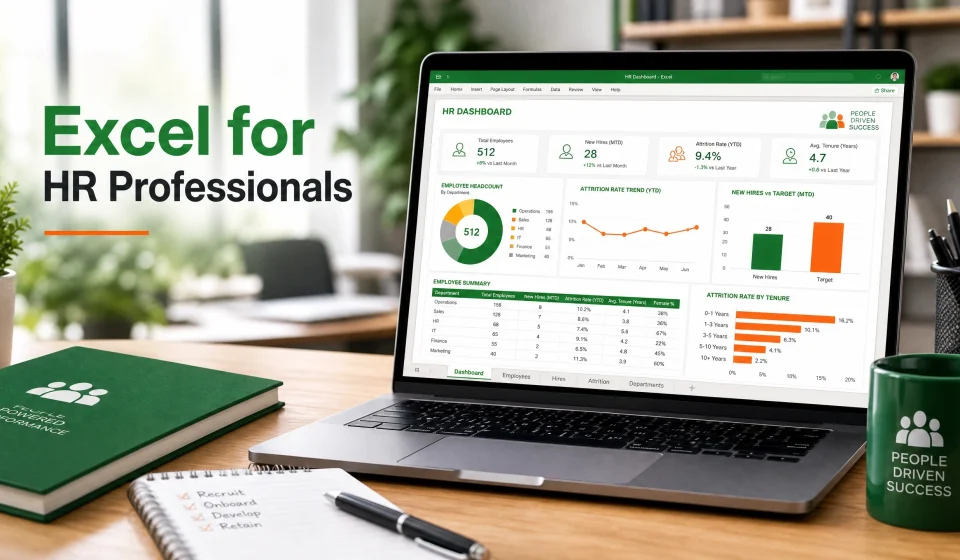

Excel for HR Professionals: Why It Matters More Than Ever
In today’s competitive workplace, HR departments are expected to do much more than hire employees and manage records. Modern HR professionals now analyze workforce trends, track employee performance, manage payroll data, and support strategic business decisions. Because of this shift, mastering Microsoft Excel has become one of the most valuable skills in human resource management.
Excel for HR professionals is no longer optional. Instead, it’s a practical business skill that improves efficiency, accuracy, and decision-making. Whether you work in recruitment, payroll, employee relations, or HR analytics, Excel helps you organize information and turn raw data into useful insights.
Moreover, companies now expect HR teams to work with dashboards, automated reports, and employee metrics. As a result, professionals who understand Excel often stand out in the job market. Many organizations even prioritize Excel skills during recruitment because workforce data management is now critical to business growth.
If you want to strengthen your HR career, improve productivity, and make smarter workforce decisions, Excel is one of the best tools to learn in 2026.
For practical corporate training solutions, many HR teams also explore programs from Forelite Training .
Why HR Teams Depend on Excel
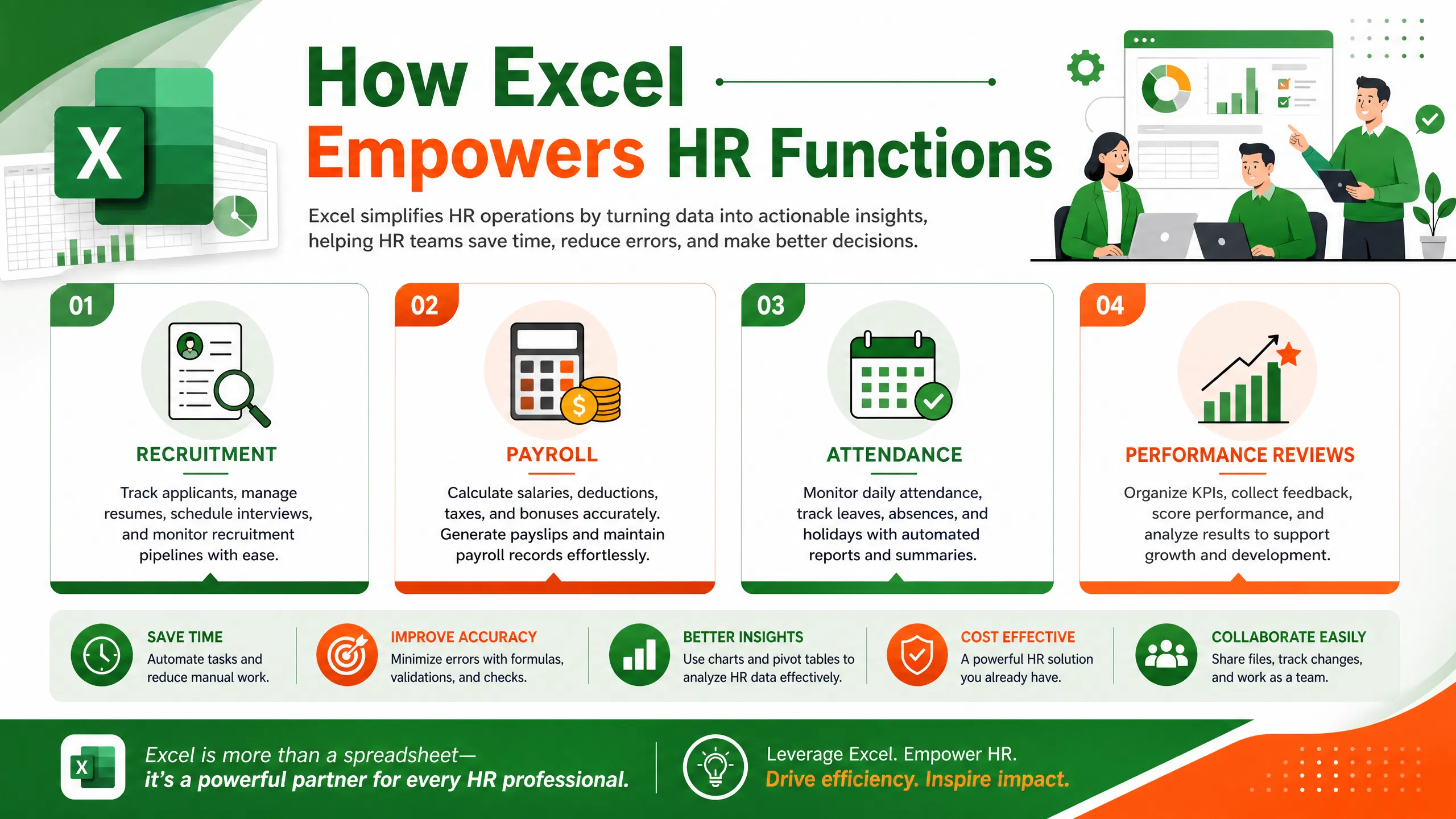
HR departments manage large volumes of employee information daily. This includes attendance records, salary structures, recruitment data, leave management, onboarding documents, and training records. Without a structured system, handling this information becomes overwhelming.
Therefore, Excel remains one of the most trusted tools for HR operations because it is flexible, affordable, and easy to customize.
Key Reasons HR Professionals Use Excel
| HR Function | How Excel Helps |
|---|---|
| Recruitment | Tracks applicants and interview results |
| Payroll | Calculates salaries, deductions, and overtime |
| Attendance | Monitors leave days and absenteeism |
| Performance Reviews | Organizes employee KPIs |
| Reporting | Creates HR dashboards and charts |
| Workforce Planning | Forecasts staffing needs |
Additionally, Excel allows HR teams to work faster through formulas, conditional formatting, and automation features. Even small businesses without expensive HR software can still manage workforce data effectively using Excel spreadsheets.
Many HR professionals also improve their technical skills through programs such as Corporate Excel Training Programs, Professional HR Analytics Courses, and Advanced Data Analysis Workshops.
Essential Excel Functions Every HR Professional Should Know
Learning Excel formulas can dramatically improve productivity in HR departments. In fact, many repetitive HR tasks become easier once professionals understand the right functions.
Below are some of the most important Excel functions for HR professionals.
1. IF Function
The IF function helps HR teams create logical decisions automatically.
Example uses include:
- Identifying employees eligible for bonuses
- Tracking probation completion
- Monitoring attendance compliance
=IF(A2>90%,\ “Eligible”,\ “Not\ Eligible”)
2. VLOOKUP and XLOOKUP
These functions help HR professionals retrieve employee information from large databases.
Common HR Applications
- Finding employee IDs
- Retrieving salary records
- Matching employee names with departments
According to HR community discussions on Reddit, many HR analysts now prefer XLOOKUP because it is more flexible than VLOOKUP.
3. Pivot Tables
Pivot tables help summarize large HR datasets quickly.
HR Tasks Simplified With Pivot Tables
- Recruitment summaries
- Employee turnover reports
- Gender diversity analysis
- Training attendance tracking
Furthermore, pivot tables make it easier to identify patterns and trends in workforce data.
4. Conditional Formatting
Conditional formatting highlights important data automatically.
Examples Include
- Highlighting absent employees
- Identifying expired contracts
- Marking late performance reviews
This feature improves visibility and reduces manual checking.
5. COUNTIF and SUMIF
These functions help HR professionals count and summarize data based on specific conditions.
Examples
- Counting employees by department
- Summing overtime hours
- Tracking training participation
Using Excel for Recruitment Analytics
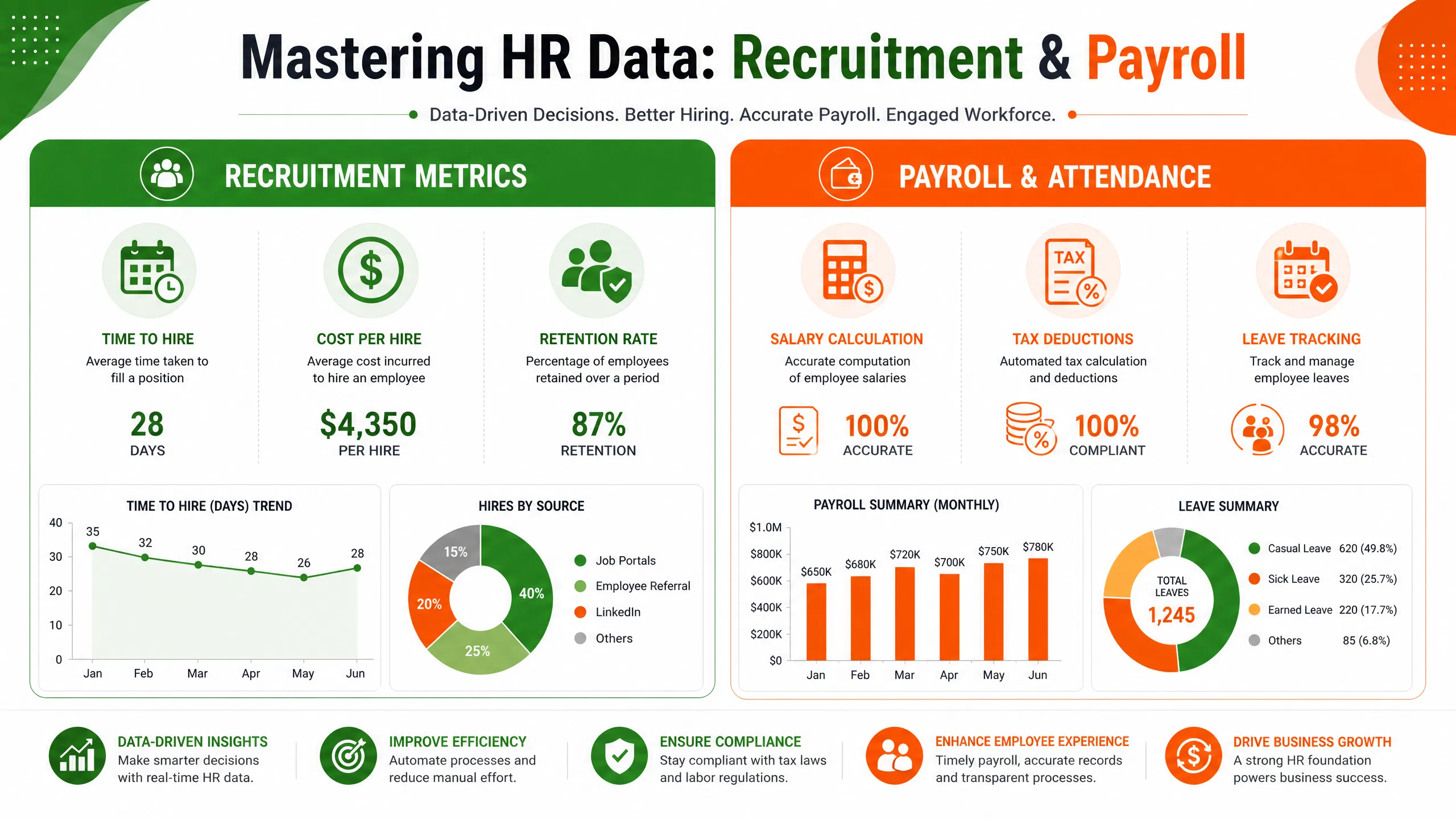
Recruitment is one of the most data-driven HR functions today. HR teams must track applications, interview results, hiring timelines, and recruitment costs.
Excel simplifies these processes significantly.
Recruitment Metrics HR Teams Can Track
| Metric | Importance |
|---|---|
| Time to Hire | Measures recruitment efficiency |
| Cost per Hire | Tracks recruitment expenses |
| Interview-to-Hire Ratio | Evaluates hiring effectiveness |
| Employee Retention Rate | Assesses recruitment quality |
Additionally, Excel dashboards help recruiters visualize hiring progress clearly.
Many companies now combine Excel with HR analytics to make smarter recruitment decisions. This improves workforce planning and reduces hiring mistakes.
Courses like HR Data Management Training and Excel Reporting Courses can help HR teams strengthen recruitment analytics skills.
Employee Attendance and Leave Tracking
Managing attendance manually can create errors and confusion. However, Excel simplifies attendance monitoring through formulas and automated tracking sheets.
Benefits of Attendance Tracking in Excel
- Reduces payroll errors
- Tracks absenteeism trends
- Monitors overtime hours
- Improves workforce accountability
Features HR Teams Commonly Use
- Dropdown menus
- Leave balance formulas
- Automated attendance summaries
- Monthly attendance dashboards
Excel also helps HR managers identify recurring attendance issues early. As a result, organizations can improve productivity and workforce discipline.
Payroll Management With Excel
Payroll management requires precision. Even small mistakes can create employee dissatisfaction and compliance issues.
Excel helps HR departments calculate salaries accurately using formulas and automated spreadsheets.
Payroll Tasks Managed in Excel
| Payroll Task | Excel Solution |
|---|---|
| Salary Calculation | Automated formulas |
| Tax Deductions | Percentage calculations |
| Overtime Tracking | Hour-based formulas |
| Bonus Computation | Conditional calculations |
Advantages of Using Excel for Payroll
- Faster calculations
- Reduced human errors
- Easy record management
- Better payroll transparency
Nevertheless, HR teams handling large organizations may eventually combine Excel with payroll software for better scalability.
Performance Management and KPI Tracking
Performance evaluation is essential for employee development and organizational success. Excel helps HR departments organize employee performance data and generate useful reports.
HR KPIs Commonly Tracked in Excel
- Employee productivity
- Training completion rates
- Staff turnover
- Employee engagement scores
- Absenteeism rates
Why Excel Works Well for KPI Tracking
Excel allows HR teams to:
- Create customized scorecards
- Compare department performance
- Visualize employee progress
- Generate automated charts
Consequently, managers can make informed decisions regarding promotions, training, and workforce planning.
HR Dashboards and Reporting
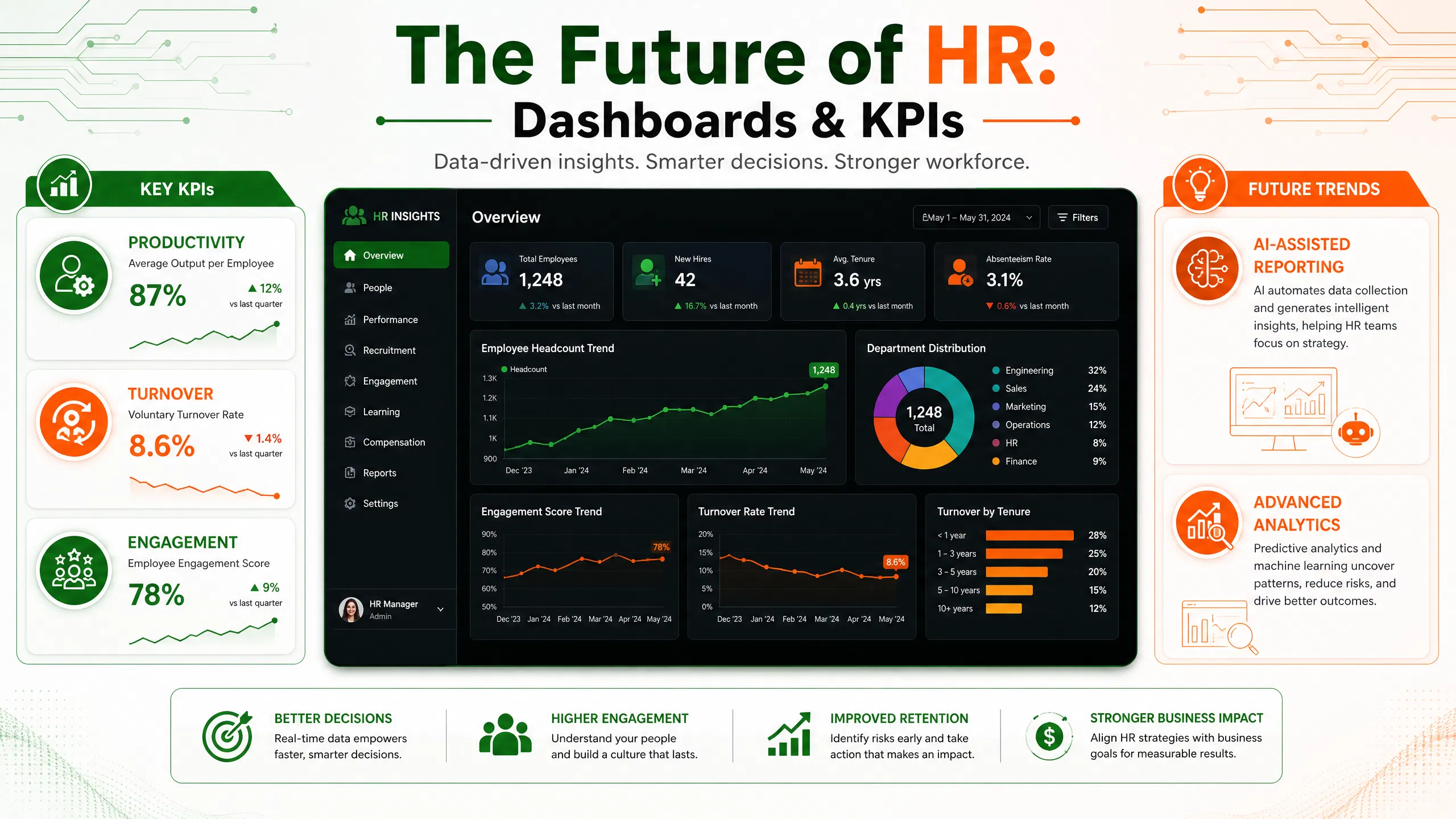
HR dashboards transform complex workforce data into visual reports that leadership teams can understand quickly.
Excel dashboards often include:
- Charts
- Pivot tables
- KPI indicators
- Workforce summaries
Benefits of HR Dashboards
| Benefit | Impact |
|---|---|
| Faster Reporting | Saves time |
| Better Decision-Making | Improves workforce planning |
| Data Visualization | Simplifies analysis |
| Real-Time Monitoring | Enhances HR operations |
Besides that, dashboards help HR professionals communicate workforce insights more effectively during executive meetings.
Excel Automation for HR Departments
Automation is changing HR operations rapidly. Excel features like macros and templates help reduce repetitive manual work.
HR Tasks That Can Be Automated
- Employee onboarding checklists
- Payroll summaries
- Leave calculations
- Performance reports
- Recruitment tracking
Benefits of HR Automation
- Saves time
- Improves accuracy
- Reduces repetitive tasks
- Enhances productivity
According to HR discussions online, many HR professionals now use AI tools alongside Excel to create formulas and automate workflows faster.
Data Cleaning and Employee Database Management
Poor data quality can create major HR problems. Duplicate records, spelling errors, and inconsistent formatting often affect reporting accuracy.
Excel provides powerful data cleaning tools that improve database management.
Useful Excel Data Cleaning Features
- Remove Duplicates
- Text to Columns
- Data Validation
- Flash Fill
- Find and Replace
Why Data Cleaning Matters
Clean HR data improves:
- Recruitment analysis
- Payroll accuracy
- Compliance reporting
- Workforce forecasting
As a result, organizations can trust their HR reports and make better strategic decisions.
HR Forecasting and Workforce Planning
Workforce planning helps organizations prepare for future staffing needs. Excel allows HR professionals to analyze workforce trends and forecast recruitment requirements.
HR Forecasting Areas
| Forecasting Area | Purpose |
|---|---|
| Staffing Needs | Supports business growth |
| Employee Turnover | Predicts replacement needs |
| Training Demand | Plans development programs |
| Retirement Trends | Prepares succession plans |
Excel Features Useful for Forecasting
- Trend analysis
- Charts and graphs
- Forecast formulas
- Scenario analysis
Importantly, workforce planning improves organizational stability and reduces talent shortages.
Compliance and HR Documentation
HR departments handle sensitive employee information and legal documentation. Excel helps organize records systematically.
HR Documents Commonly Managed in Excel
- Employee contracts
- Leave records
- Compliance checklists
- Training certifications
- Disciplinary records
Compliance Benefits
- Easier audits
- Better documentation control
- Improved record accessibility
- Reduced legal risks
Although specialized HR systems exist, Excel remains valuable because it is widely accessible and easy to customize.
Common Excel Mistakes HR Teams Should Avoid
Even experienced HR professionals sometimes make Excel mistakes that affect data accuracy.
Common Mistakes
1. Not Backing Up Files
Losing HR data can create serious operational problems.
2. Using Incorrect Formulas
Small formula errors can affect payroll and reports.
3. Poor Spreadsheet Organization
Messy spreadsheets reduce productivity.
4. Ignoring Data Validation
Without validation rules, incorrect entries become common.
5. Overusing Manual Processes
Automation features should replace repetitive manual tasks whenever possible.
Therefore, regular Excel training remains essential for HR professionals.
Best Excel Training Resources for HR Professionals
Learning Excel doesn’t require advanced technical knowledge. Many HR professionals improve their skills gradually through practice and professional training.
Recommended Learning Options
- Online Excel courses
- HR analytics workshops
- Corporate training sessions
- YouTube tutorials
- Practical HR projects
Some organizations also provide specialized HR technology programs through platforms like Forelite Professional Development Programs.
According to workforce planning training providers, HR-focused Excel programs often include:
- Pivot tables
- HR dashboards
- Recruitment analytics
- Payroll formulas
- Workforce reporting
Future of Excel in Human Resource Management
Technology continues to evolve rapidly. However, Excel remains highly relevant in HR because of its flexibility and accessibility.
Emerging Trends in HR Excel Usage
AI-Assisted Reporting
AI tools now help HR professionals generate formulas and analyze workforce data faster.
Advanced HR Analytics
Excel increasingly supports predictive workforce analysis.
Dashboard Integration
Modern HR teams combine Excel dashboards with business intelligence tools.
Remote Workforce Management
Excel supports distributed workforce tracking and reporting.
Ultimately, Excel continues to serve as a practical bridge between traditional HR operations and modern workforce analytics.
Frequently Asked Questions (FAQs)
1. Why is Excel important for HR professionals?
Excel helps HR teams organize employee data, manage payroll, analyze recruitment metrics, and create workforce reports efficiently.
2. Which Excel skills are most important for HR?
Key skills include pivot tables, IF formulas, XLOOKUP, conditional formatting, charts, and HR dashboard creation.
3. Can Excel help with recruitment analytics?
Yes. Excel helps track applicants, hiring timelines, recruitment costs, and interview performance.
4. Is Excel enough for payroll management?
Excel works well for small and medium organizations. However, larger companies may combine Excel with payroll software.
5. How long does it take to learn Excel for HR?
Basic Excel skills can be learned within weeks. Advanced HR analytics skills may take several months of practice.
6. Are Excel certifications useful for HR careers?
Yes. Excel certifications strengthen resumes and improve career opportunities for HR professionals.
7. Does Excel support HR dashboards?
Absolutely. Excel provides charts, pivot tables, and visualization tools that help create interactive HR dashboards.
Conclusion
Excel for HR professionals remains one of the most valuable workplace skills in 2026. From recruitment analytics and payroll management to workforce forecasting and KPI tracking, Excel helps HR teams improve efficiency and make data-driven decisions.
Furthermore, organizations increasingly expect HR professionals to understand reporting, dashboards, and workforce analytics. Because of this, strong Excel skills can improve both productivity and career growth opportunities.
Whether you’re an entry-level HR assistant or an experienced HR manager, investing time in Excel training can deliver long-term professional benefits. By learning formulas, automation tools, dashboards, and reporting techniques, HR professionals can become more strategic and impactful within their organizations.
For additional professional training opportunities, explore Forelite Training Solutions and digital growth resources from Nexera Digital Solutions.